















Getting a new soundbar is exciting — but great sound doesn’t just come from the hardware. The real difference comes from how you set it up. Even a powerful system can sound flat or weak if one small detail is wrong.
The good news? These fixes are simple, beginner-friendly, and can instantly upgrade your experience. Here are the five setup steps every soundbar owner should check, plus real examples to help you understand exactly what to do.
Choose the Right Connection — It Controls Half of Your Sound Quality
Think of your cable as the “road” your audio travels on. If you use the wrong one, your soundbar simply can’t perform at its best.
Best choice: HDMI ARC or eARC
-
Supports high-quality audio
-
Supports Dolby Atmos
-
Let's your TV remote control the soundbar
-
One cable for everything
Real example: A user bought an Atmos soundbar but said, “Why is there no overhead sound?” He was using an optical cable — which can’t carry Atmos at all. Once he switched to HDMI eARC, the difference was huge.
Beginner tip: Plug the soundbar into the HDMI port labeled ARC or eARC. If you don’t see those labels, you won’t get full Atmos.
Place Your Soundbar Correctly — Good Positioning Makes a Big Difference
Placement affects clarity, dialogue, surround effect, and even bass.
Best placement:
-
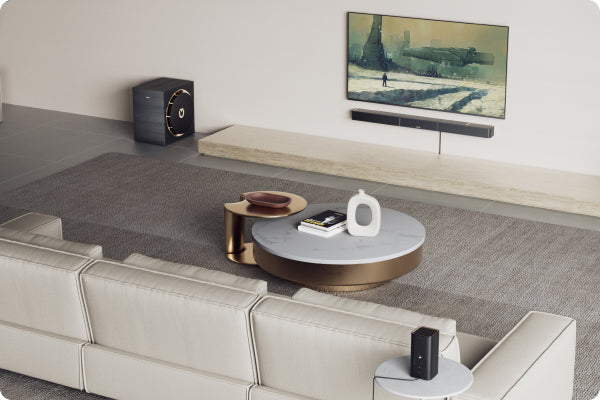
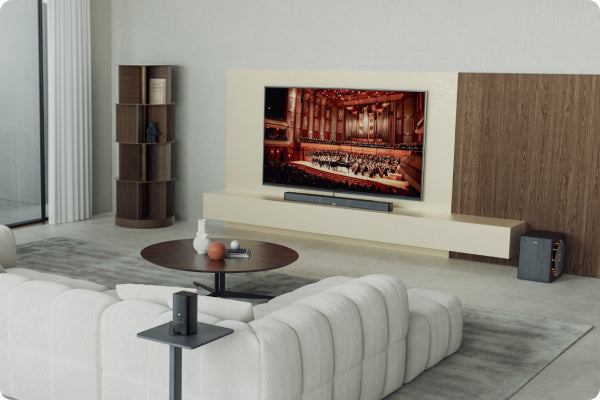
Centered under your TV
-
As close to ear level as possible
-
Keep the front completely unobstructed
-
Do not hide it inside a cabinet (instant sound killer)
Real example: One user hid his soundbar inside a TV console for a “clean look,” but everything sounded muffled. The moment he placed it outside, he messaged us: “I’ve been listening wrong for two months.”
Set Up Your TV Audio Correctly — Your TV Determines What Your Soundbar Can Receive
This is the most underrated but most important part. Your TV decides what audio format is sent to your soundbar. If the TV sends the wrong format, the soundbar simply cannot output true surround or Atmos. Here’s the simplest breakdown for beginners:
-
If your TV and soundbar support eARC
This is the highest-bandwidth connection available today.
Set your TV to:
-
Audio Output: Pass Through / Bitstream / Auto
-
Audio Format: Dolby Atmos On
You can get: ✔ Lossless Dolby Atmos (TrueHD) ✔ Lossless Dolby TrueHD ✔ DTS-HD / DTS:X (if supported by both devices)
Simple explanation: eARC = “high-speed highway” for large, high-quality audio tracks.
Real example: A user with an LG eARC TV turned on Pass Through and heard lossless Atmos for the first time. His comment:“I didn’t know my soundbar could sound like this.”
-
If your TV only has ARC
ARC has less bandwidth and cannot send lossless formats.
Set your TV to:
-
Bitstream / Auto / Dolby Digital+
You can get: ①Dolby Digital 5.1 ② Dolby Digital Plus (with compressed Atmos)
❌ No lossless Atmos ❌ No TrueHD
Simple explanation: ARC = “regular road.” Good quality, but not built for very large audio files.
-
If your TV can only output PCM
This is the most basic format.
You can get: ✔ Stereo 2.0 ❌ No 5.1 ❌ No Atmos ❌ No surround sound
Real example: A user asked why his rear speakers had no sound. His TV only supported PCM output, which sends only left + right channels. He upgraded to a TV with Bitstream output — and the full surround experience came alive.
Beginner Summary
-
eARC → Full lossless Atmos
-
ARC → Compressed Atmos
-
PCM → Stereo only
Just understanding this one step can instantly fix most “Why is my soundbar not loud / not surround / not Atmos?” questions.
Balance Your Subwoofer and Surround Speakers — Loud Doesn’t Mean Better
Audio is about balance, not maximum volume.
Subwoofer tips:
-
Corners help bass, but don’t push it tight against the wall
-
40–60% bass level usually sounds best
-
Avoid setting bass to 100% (it becomes muddy, not deep)
Real example: One user had bass maxed out at 100%. The whole movie felt like “boooooom.” We suggested lowering it to 45% and moving it slightly. His response: “This finally feels like movie-theater bass.”
Surround speaker tips:
-
Place them behind you, slightly to the sides
-
Keep them near ear level
-
Angle them slightly toward your seating position
Match Your Soundbar to Your Room Size — A Tiny Bar Can’t Fill a Huge Space
Room size affects how immersive your system feels.
General guide:
-
Small room (<20 m² / 215 ft²): 2.1 or lite 5.1
-
Medium room (20–40 m² / 215–430 ft²): 3.1.2 or 5.1 or 5.1.2
-
Large room (40–60 m² / 430–645 ft²): 7.1 or 7.1.4 or higher
Real example: A user placed a compact 2.1 soundbar in a huge living room and said “the sound doesn’t surround me.” The soundbar wasn’t the issue — the room was simply too large. Switching to a 5.1 system fixed it instantly.
Quick Beginner Checklist
Double-check these five points and you’ll unlock the full power of your soundbar:
-
HDMI ARC/eARC connection
-
Soundbar placed at ear level, not blocked
-
TV audio settings correct (eARC / ARC / PCM understood)
-
Bass and surrounds balanced
-
Soundbar size matches the room
Do these right, and you’ll hear “Wow… this is what my system is capable of” immediately.